Follow Us On :

Delivery Instructions

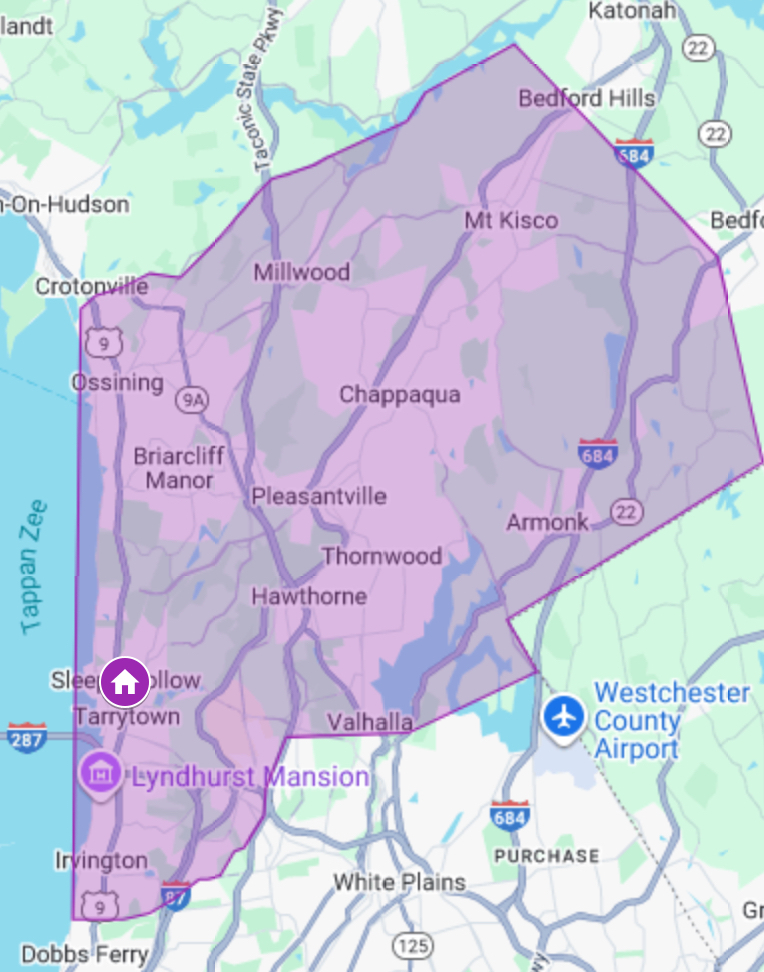
FREE Delivery Throughout Westchester County Click HERE for a map of our delivery zone

See instructions below and place your first order today!

Instructions for Delivery Enrollment

Create an account, pre-pay, and receive our premium cannabis products delivered right to your door!

Requirements & Hours

  • You must present a valid ID showing 21+ to our delivery drivers in order to receive a delivery
  • Delivery Hours:
    • Tues to Fri 3:30pm to 7:30pm
    • Sat & Sun 12:30pm to 7:30pm

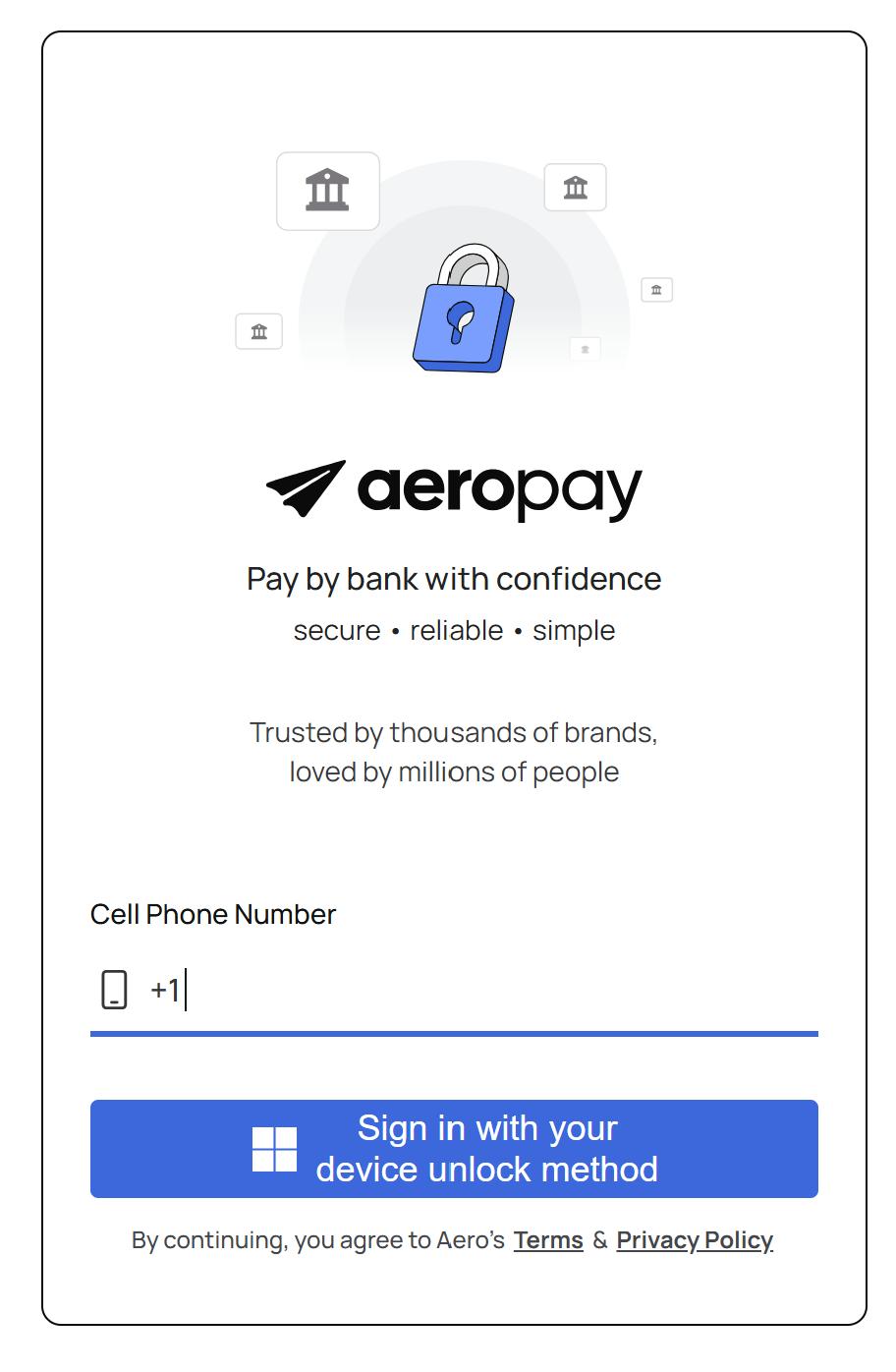
Step 1: Create an Aeropay Account For Online Payment. You only have to do this once.

  • Per NYS regulations, all cannabis deliveries must be paid for in advance
  • We utilize the service Aeropay, which is just like Venmo or Zelle but for cannabis
  • Click HERE to create an Aeropay account
  • You will need to link your personal bank account to your Aeropay account so you can make ACH payments
  • Once you have created your Aeropay account and linked your bank account, proceed to Step 2 below.

Step 2: Create an Online Quality High Account. You must create an online account even if you’ve made purchases at the store.

  • Click HERE to get to our online shop
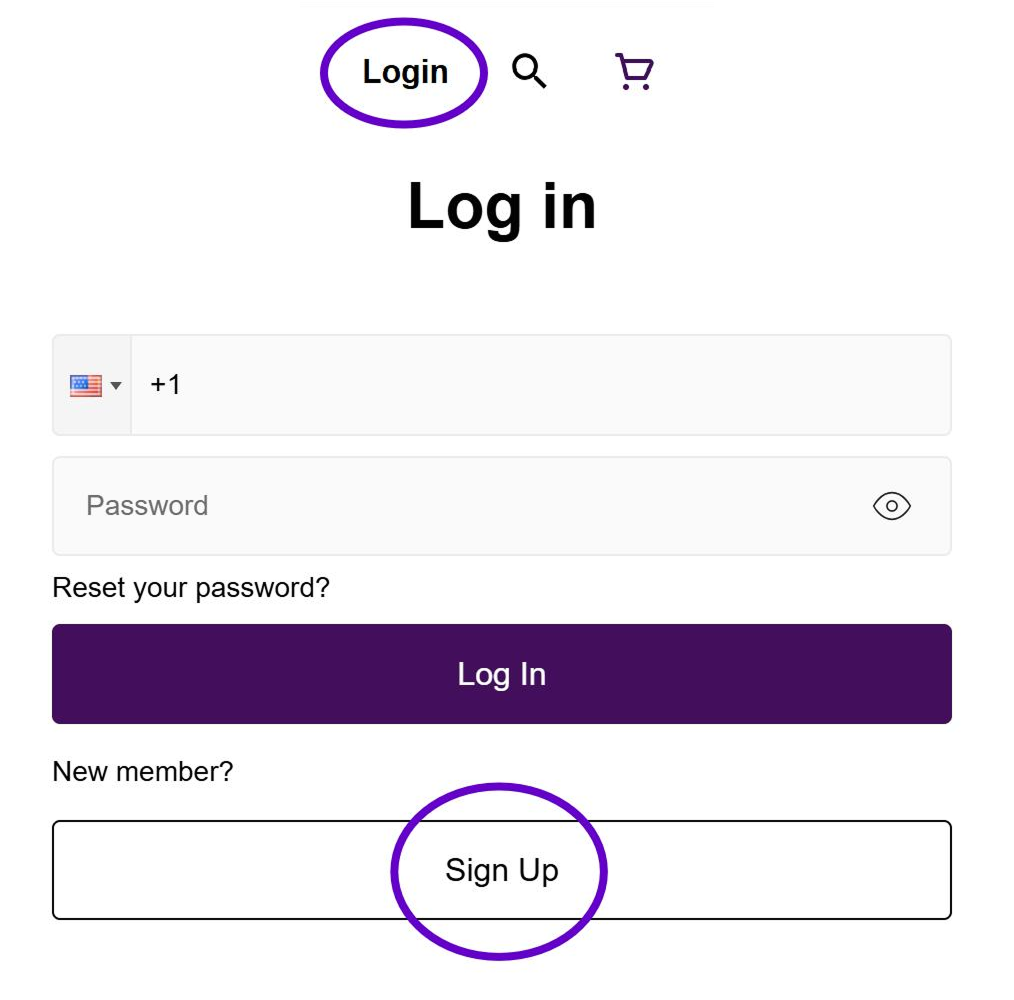
  • Select Login at the top right of the home screen
  • First time customers will then select Sign-up
  • Simply enter the required information and select Sign-up at the bottom of the screen
  • Just a heads-up, you will be sent a verification code for 2 part authentication

Step 3: Confirm Delivery Location

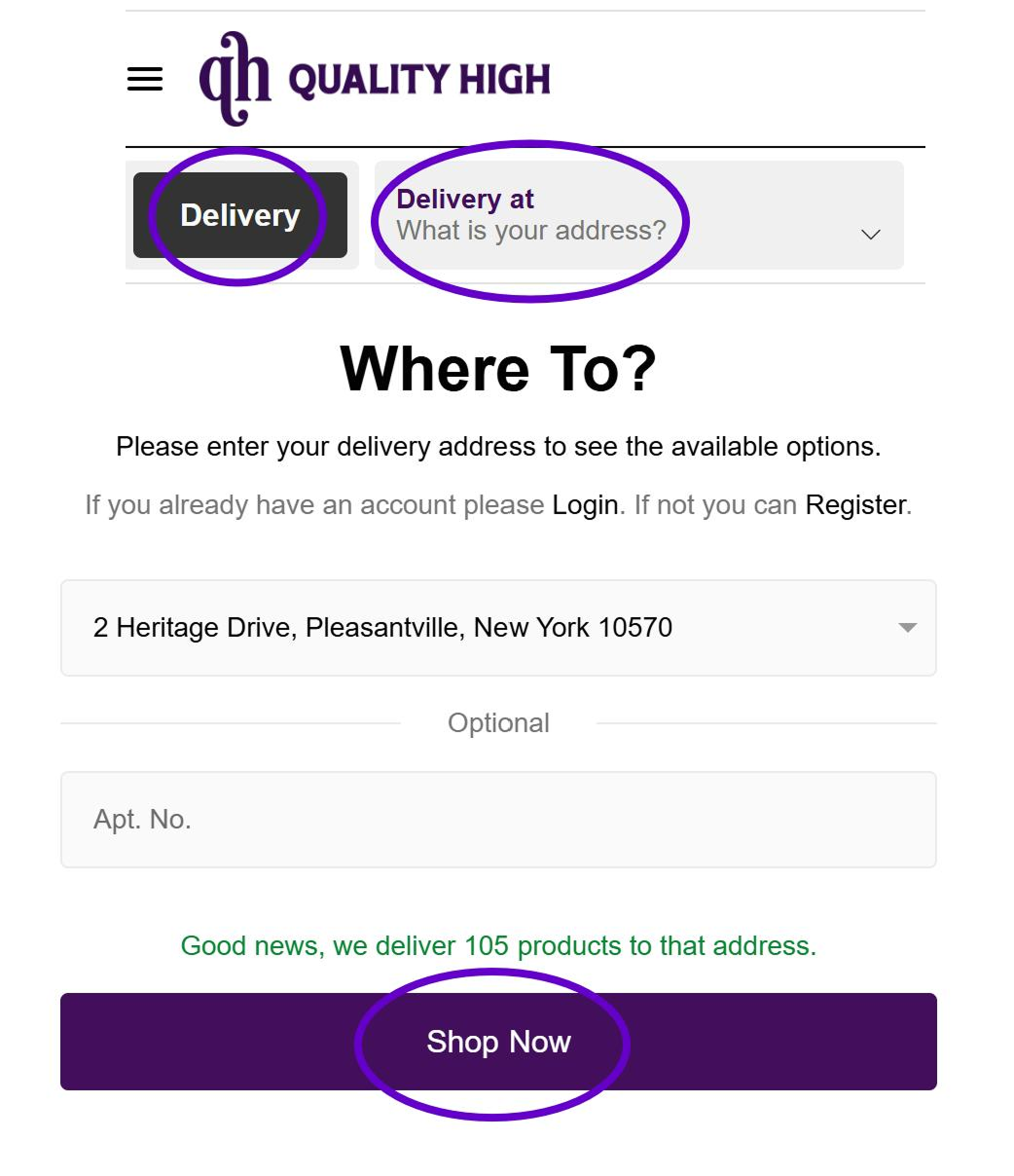
  • Select Delivery at the top left of the home screen and click What is your address?
  • The Where To? pop-up window will appear. Search for your address. Once confirmed, click the Shop Now button at the bottom of the pop-up window.

Step 4: Fill Your Cart & Checkout

  • Once you’ve filled your cart, you’ll select Checkout
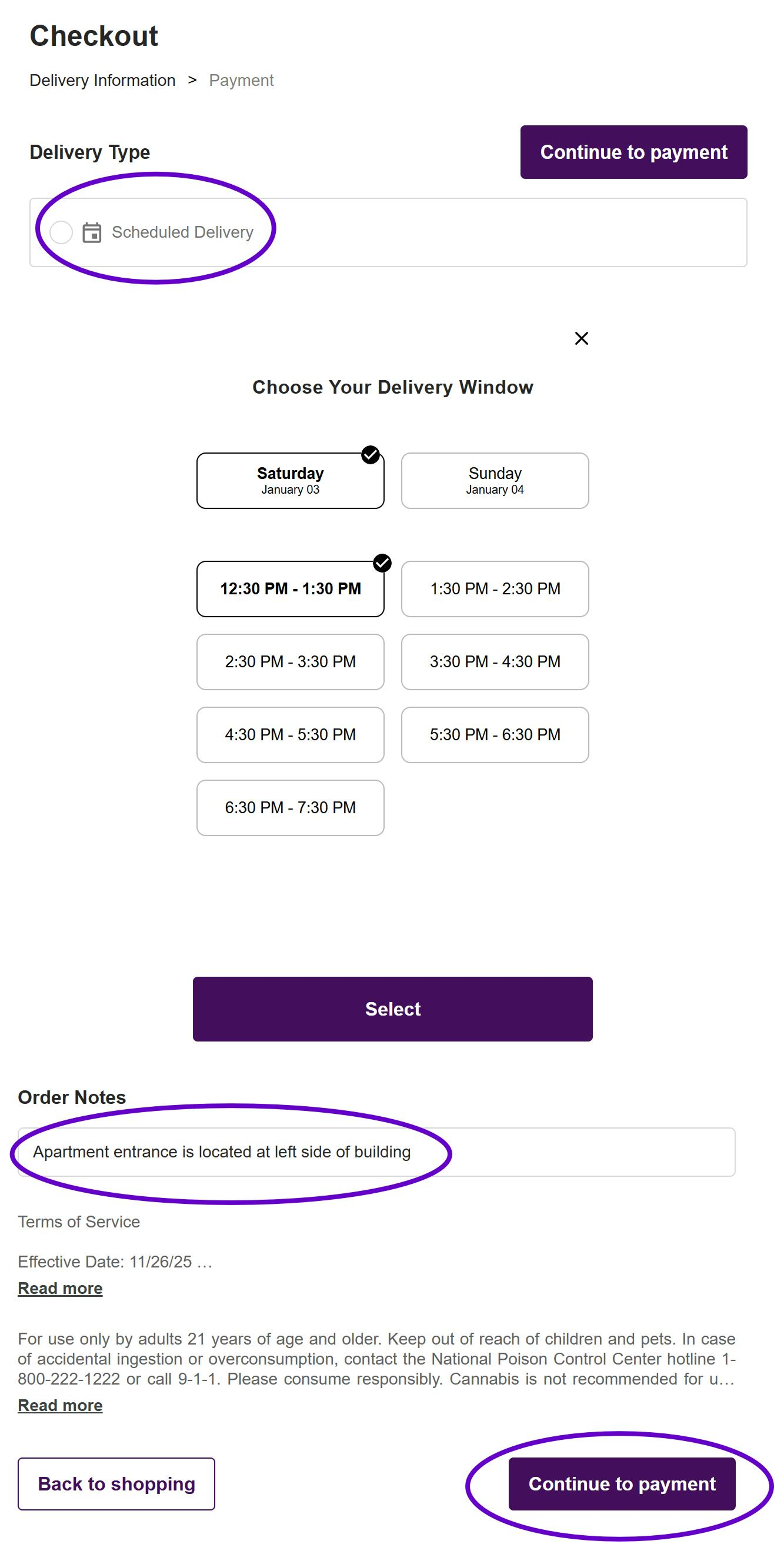
  • At the top left of the Checkout screen under Delivery Type select Scheduled Delivery
  • Here you will select from the available delivery windows for the current and following day. Once selected you will return to the Check Out screen
  • Please enter any additional notes that will assist our drivers when finding your delivery location ie: Entrance is at side of building
  • Once complete select Continue to payment

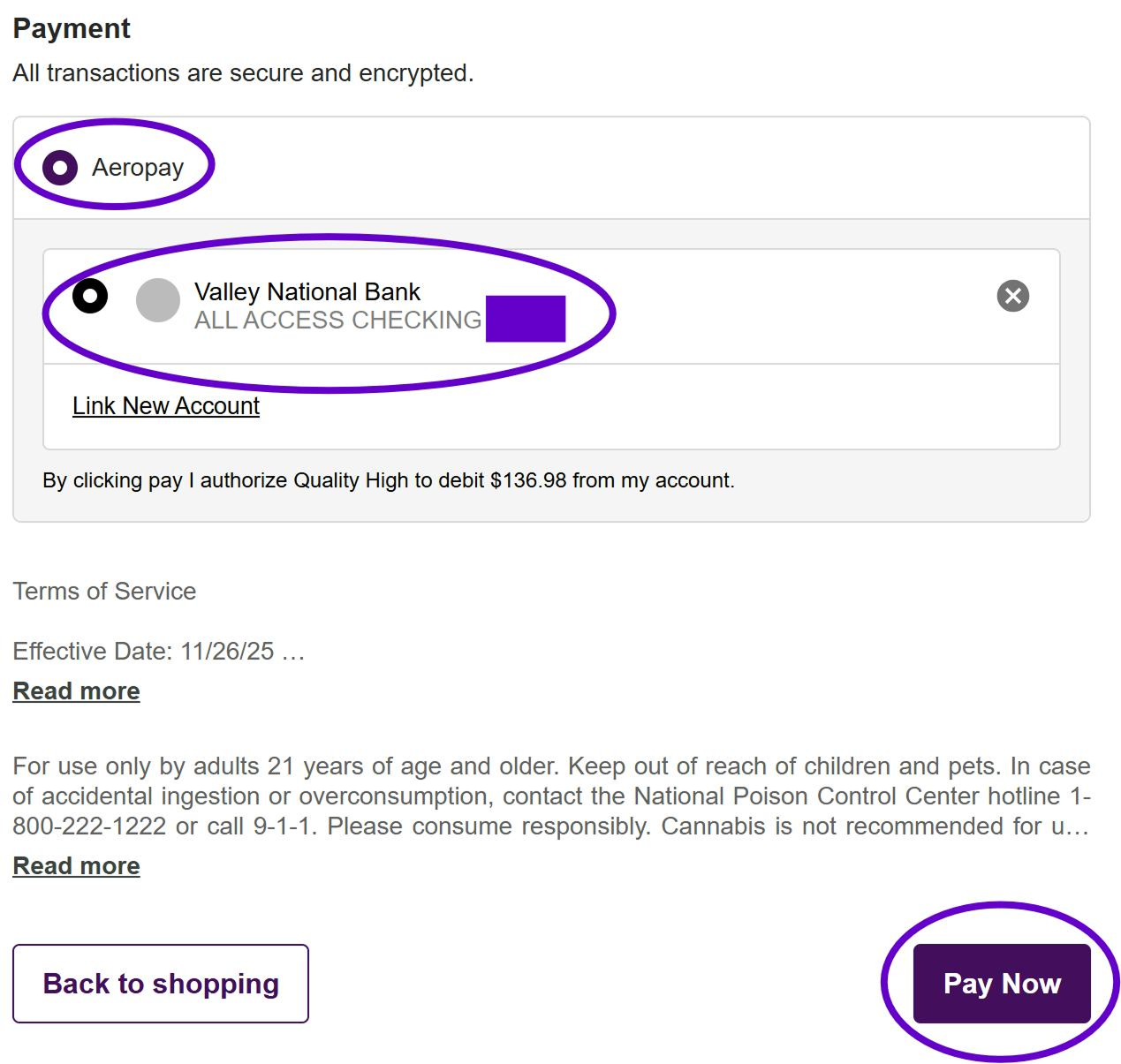
Step 5: Payment

  • Select Aeropay and then select the bank account you wish to use for this transaction. (Note: most customers only link one bank account to Aeropay)
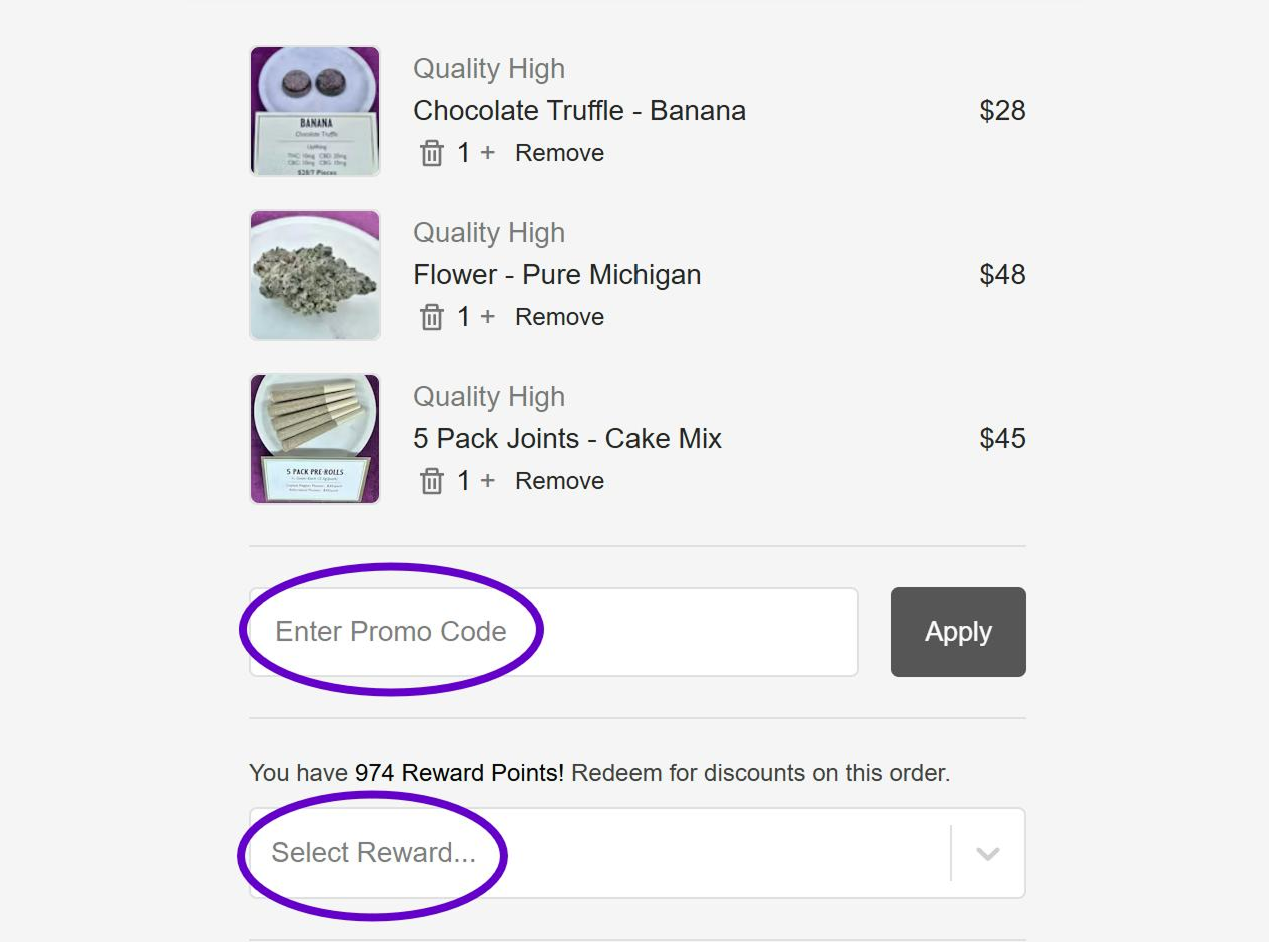
  • If you want to use a Promo Code or Reward Points, enter them on the right side of the screen before selecting Pay Now

Step 6: Sit Back, Relax, & Wait for the Finest Cannabis Products to be Delivered to Your Door!